How to Spot the International Space Station: Find a Local Pass and Know What to Look For
Find a current ISS pass for your location, read its time and direction, and choose a safe place with a clear view. Learn what the station looks like and why an alert cannot guarantee a sighting.
What an International Space Station pass looks like
Knowing the station’s basic appearance helps you recognize what to watch for without expecting a detailed spacecraft view.
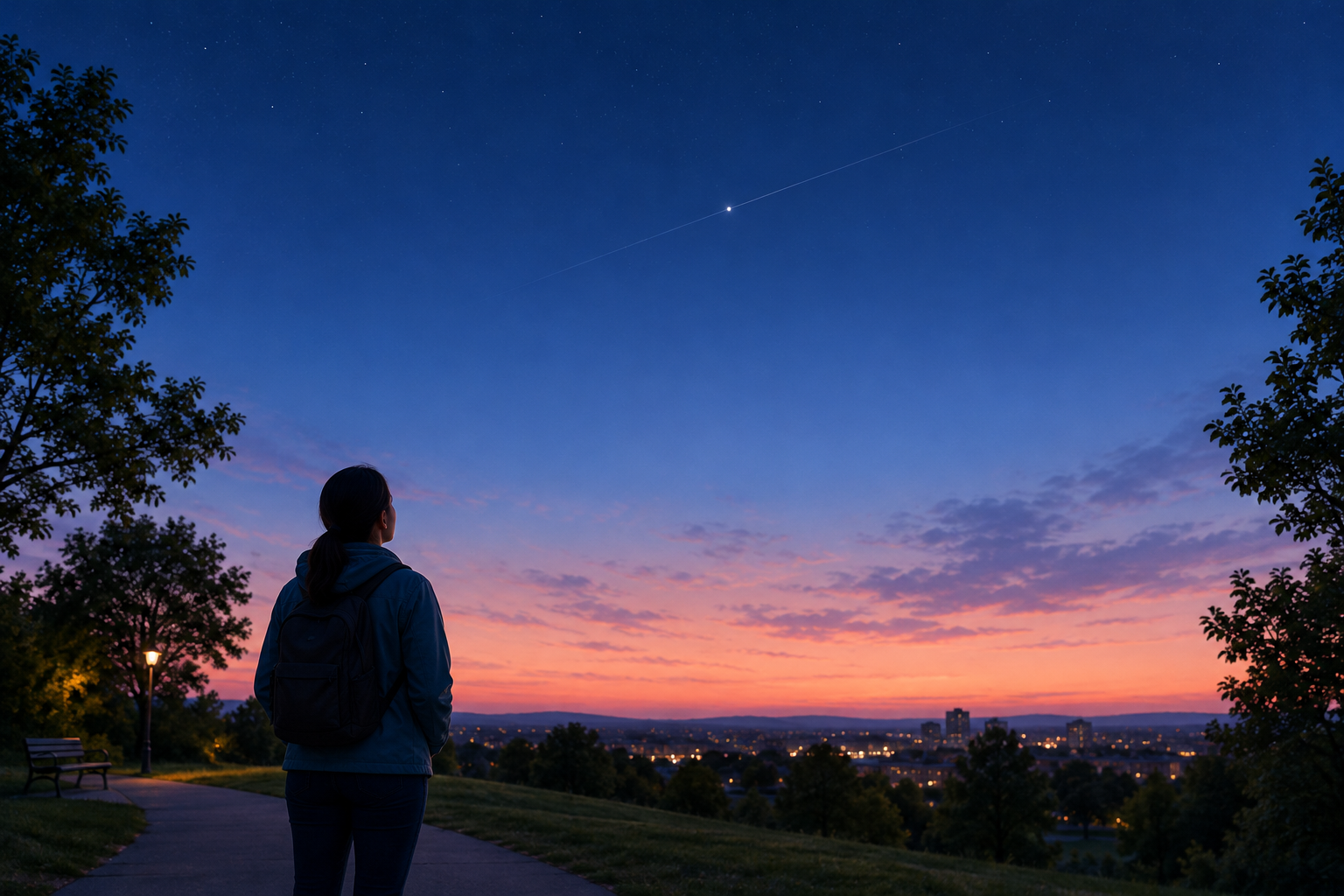
To spot the International Space Station (ISS), check a current pass schedule for your location and watch the listed part of the sky at the stated time. During a suitable pass, it can be visible without a telescope or binoculars. It usually looks like a bright point moving smoothly across the sky, not a spacecraft with visible wings or modules.
The ISS reflects sunlight. Viewing opportunities are generally near dawn or dusk, when the sky where you are is dark enough to see the station while it remains illuminated by the Sun. A pass may therefore occur shortly after sunset or before sunrise, rather than whenever the station is overhead.
NASA says the station may resemble a bright star or an airplane, but it does not flash like an aircraft or change direction during a pass. These are useful clues, not proof on their own: other objects can also appear to move across the sky. Compare what you see with the local schedule.
- Expect a bright point, not a detailed spacecraft outline.
- Look for continuous movement and a steady light.
- No special viewing equipment is required.
Find a local pass and read the schedule
A location-specific listing gives you a viewing window and a general sky route, so you can prepare instead of scanning everywhere.
Open NASA’s Spot the Station service and select the location nearest to where you will actually watch. Pass details depend on location, so a listing for another town—or an old screenshot—may not be useful for your attempt. Check the current schedule rather than relying on a nationwide date or time.
A listing can include the local start time, how long the station may remain visible, its maximum height above the horizon, and the directions where it appears and disappears. Use the start time to know when to be ready, the duration to understand how short the viewing window may be, and the directions to decide where to face. Maximum height gives you a sense of how far upward to look.
For example, if a listing says the station appears in the northwest and disappears toward the southeast, get into position facing northwest before the start time. Then follow the moving point generally toward the southeast. You do not need to measure angles or plot an exact path; the listing is a practical guide, not a guarantee that every part of the route will be visible from your spot.
| Schedule detail | What it tells you | How to use it |
|---|---|---|
| Start time | When the pass begins at the selected location | Be settled and looking toward the starting direction beforehand |
| Duration | How long the station may remain visible | Keep watching through the listed window |
| Maximum height | How high above the horizon it may climb | Use it to judge how far upward to scan |
| Appearance and disappearance directions | Where it enters and leaves the visible sky | Follow the general route rather than scanning everywhere |
Choose a safe spot with a clear view
The best place is not necessarily remote; it is somewhere you can safely see the part of the sky named in the schedule.
Once you know the starting direction, look for a permitted place with an open view that way. A yard, open park, or other suitable outdoor area may work. Trees, buildings, rooflines, and bright nearby lights can make a moving point harder to see, especially if they block the expected route.
A window may be convenient, but reflections, screens, curtains, and the angle of the glass can interfere. If you watch indoors, choose a window facing the listed direction and reduce nearby lights that reflect on it. Outdoors, stand somewhere stable and safe; do not watch from a road, an edge, or a place where you would need to cross private property.
Check cloud cover and local conditions separately from the pass schedule. A schedule describes an opportunity, but it cannot clear clouds or remove an obstruction. Haze and a blocked horizon can also limit the view. For a family outing, choose the spot beforehand and keep children close near roads, water, slopes, or dark paths.
- Choose an unobstructed view toward the listed starting direction.
- Check local cloud and visibility conditions near viewing time.
- Use a safe, permitted place where you can stand still and look up.
Prepare for the viewing window
A short preparation routine lets you spend the pass watching rather than searching for the schedule or choosing a place.
A phone can help you check the schedule, but you do not need a tracking app, camera, telescope, or augmented-reality feature for a first attempt. The essentials are the current local listing, a clear view, and time to get into position before the pass begins.
Before the pass
Note the local start time, duration, maximum height, and appearance and disappearance directions. Check the weather and choose a safe location with a view toward the starting direction. If you are traveling, select a location near where you will watch rather than using your home listing.
As it begins
Arrive a few minutes early and face the expected starting direction. Give your eyes time to scan the sky. If you see a moving point, follow it smoothly and compare its timing and general route with the listing. Move to your viewing position before looking up, rather than walking while watching.
- Select the location nearest to your actual viewing spot and note the pass details.
- Check local conditions and choose a safe place with a clear view.
- Get into position before the start time and watch the listed part of the sky.
- Compare any moving point’s timing and route with the listing.
Is that light really the ISS?
A steady moving light that follows the listed time and route is consistent with an ISS pass, but a casual visual sighting may not establish identity with certainty.
Compare three clues: does the point appear around the listed time, in the expected part of the sky, and move along the general route? A steady light moving continuously without aircraft-style flashing fits NASA’s description of the station.
Brightness alone is not enough to identify it. An airplane can also look like a moving point, and a roof or tree may hide part of the pass. You may see only a portion of the route; that does not automatically rule out a match.
If the object flashes like an aircraft, changes direction, or appears at a substantially different time or place from the listing, the clues do not fit well. You can leave the identification open rather than trying to settle it with certainty while watching.
- Check the time and general route, not brightness alone.
- Look for a steady point moving continuously across the sky.
- If the clues do not match, keep the identification uncertain.
If you miss the pass, try another local opportunity
A missed sighting is a normal possibility; review the conditions and use a fresh local schedule for your next attempt.
A schedule or notification signals a viewing opportunity, not a guaranteed view from every yard, balcony, or window. Clouds, haze, trees, buildings, a short viewing window, or starting late can all interfere. NASA notes that its app alerts for visible opportunities at the selected location, rather than every time the station is overhead.
If you saw nothing, consider whether the sky was clear, the expected direction was open, and you began watching before the listed start time. These checks can help you adjust without assuming the schedule was wrong. Then return to NASA’s current location-based listing for another opportunity; do not assume the next pass will have the same time or route.
If the app or listing does not show what you expect, consult NASA’s current Spot the Station information and FAQ for details about the service. A notification is useful as a prompt, but local conditions and a clear view still matter.
Frequently asked questions
Can I see the International Space Station without a telescope?
Yes. NASA says the ISS can be seen with the naked eye during suitable passes. It generally looks like a bright point moving steadily across the sky, rather than a detailed spacecraft.
When is the best time to look for the ISS?
Visible opportunities are generally near dawn or dusk, when your sky is dark while the station is still illuminated by sunlight. Check the current schedule for your location rather than relying on a general date or time.
Does a NASA Spot the Station alert guarantee I will see it?
No. It identifies a viewing opportunity for the selected location, but clouds, haze, buildings, trees, and other local conditions can block the view. Starting late can also make a short pass easy to miss.
How can I tell the ISS from an airplane?
Compare the object’s timing and route with the local pass listing. The ISS appears as a steady point moving continuously, without aircraft-style flashing or a change of direction. If the clues do not match, keep the identification uncertain.
Sources & further reading
Explore the original sources behind this article. Our editorial perspective is separate from the organizations we reference.