How to Digitize Old VHS Tapes: Check, Transfer, and Verify
Learn how to assess family VHS tapes, choose a DIY or professional transfer, request useful digital copies, and check that your files work and are backed up.
How to digitize old VHS tapes: start with your goal
A clear goal helps you choose a transfer that suits the recording instead of paying for or attempting work you do not need.
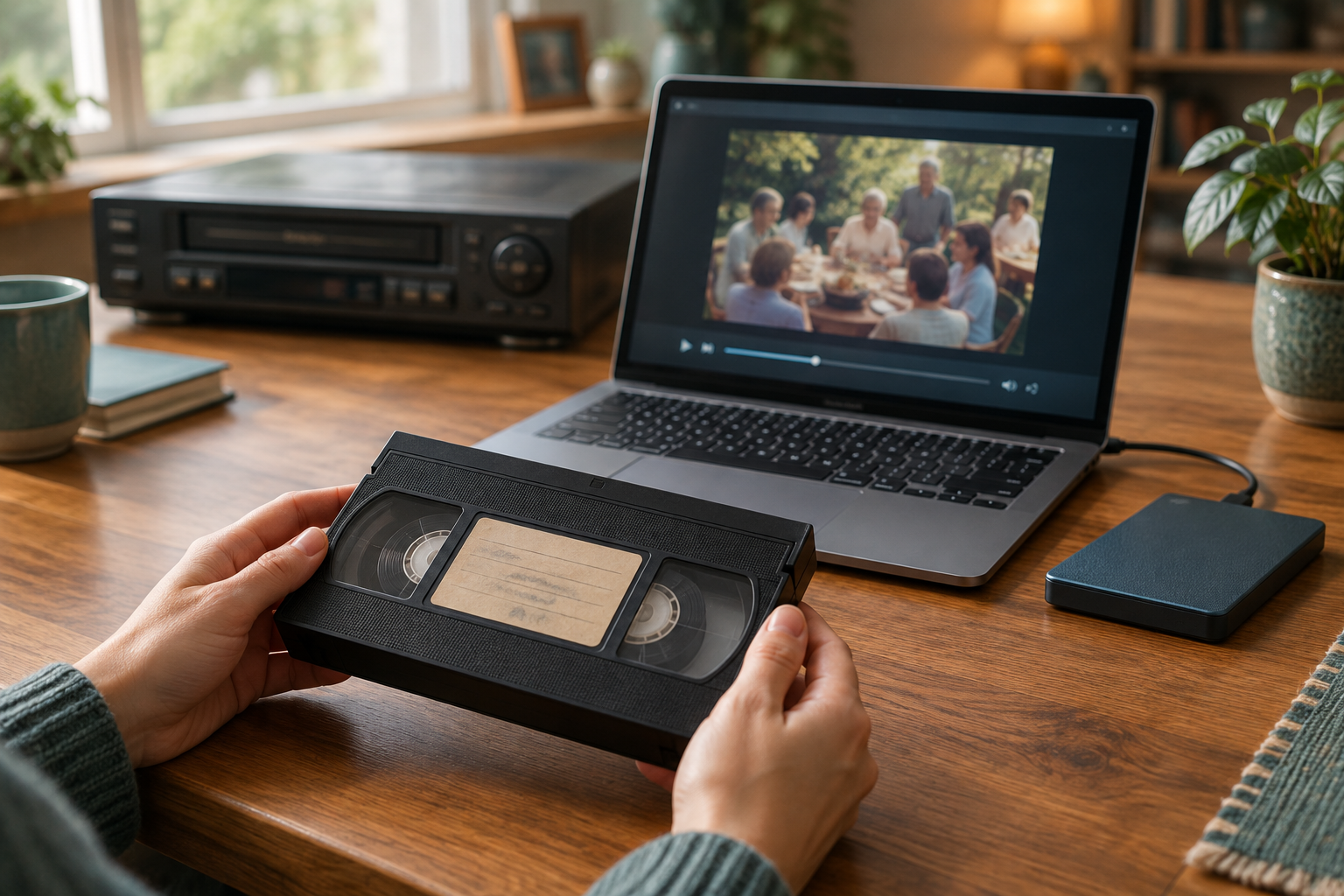
To digitize old VHS tapes, first decide what you want the digital files to do. If your main goal is to watch a recording on a current device, a convenient access copy may be enough. If you also want a higher-quality file to keep as a source for future use, ask about a preservation copy as well.
The National Archives distinguishes a preservation copy, intended to retain a high-quality version, from an access copy, intended for convenient viewing. These are different purposes, not a requirement that every household must receive two files. Ask what the provider offers and choose based on how you expect to use the recording.
Digitizing can make footage easier to view and share, but it cannot guarantee that every tape can be recovered or restore missing or degraded images. The National Archives notes that videotapes can deteriorate and that playback equipment may be obsolete or unsuitable. The practical aim is to make a useful copy while avoiding unnecessary playback of the original.
Check the cassette before arranging playback
A careful visual check can help you decide what to do next, though it cannot confirm that the tape will play successfully.
Read the label and identify the cassette format as accurately as you can. Do not assume that every cassette that looks similar will work in standard VHS equipment. If the label is unclear or you are unsure of the format, ask a transfer provider whether they can handle it before sending or playing it.
Look over the outside of the cassette without opening it. Note visible dirt or dust, a cracked shell, signs of moisture, or tape protruding from the cassette. Handle the cassette by its outer shell rather than touching the tape. The Library of Congress recommends handling video cassettes this way and leaving delicate tape cleaning to a preservation specialist.
If the label gives a family name, event, or date, record that information without treating an uncertain date as confirmed. You can keep a short inventory with the cassette’s label, any visible concerns, and what you know about the recording. Do not open the cassette or attempt a repair or splice; National Archives guidance cautions against untrained repairs.
- Handle the cassette by its shell, not by the tape.
- Record the format and any useful label information.
- Leave delicate cleaning and repairs to a qualified specialist.
Know when not to press Play
A questionable cassette is not a good candidate for a test run in an unfamiliar or poorly maintained player.
If a tape is visibly dusty or dirty, do not play it without specialist guidance. Pause as well if the cassette is visibly damaged, tape is exposed, or you see another problem you cannot assess. The National Archives specifically advises against playing visibly dusty or dirty tapes without specialist guidance and warns against untrained repair attempts.
Consider the condition and compatibility of the playback equipment, too. A player that accepts a cassette is not necessarily suitable for an important recording. Old or questionable equipment can create additional risk, and the National Archives notes that playback equipment may be obsolete or in unsuitable condition.
If the recording is especially important or one of a kind, describe the cassette’s condition to a transfer provider or preservation specialist and ask how they would assess it before playback. This is a cautious decision, not a guarantee that the footage can be recovered.
Choose between DIY transfer and a professional service
The choice depends on the cassette’s condition, your equipment, and how much setup and checking you want to manage.
A DIY transfer may be a reasonable option when a cassette appears clean and intact, you have compatible playback and capture equipment in suitable condition, and you are comfortable following the equipment instructions. Confirm compatibility for the particular cassette and devices; setups vary, so do not assume that one capture method works for every format.
A professional service can be a better fit if you lack compatible equipment, have several recordings, want help with file organization, or have a cassette that may need specialist attention. Before approving work on an important original, ask how the provider handles tapes with visible problems and what happens if a recording is difficult to play. A provider can attempt a transfer, but success is not guaranteed.
Use the same basic questions for either route: What will the transfer produce? How will you know whether the files work? What will happen to the original cassette? If you use a service, confirm the answers before handing over the tape. If you transfer at home, plan how you will inspect and back up the resulting files.
| Consideration | DIY transfer | Professional service |
|---|---|---|
| Tape condition | Consider only if it appears clean and intact; pause if you see a concern. | Ask whether the provider can assess the cassette before playing it. |
| Equipment | You need compatible playback and capture equipment in suitable condition. | Confirm the provider can handle the specific cassette format. |
| Time and tasks | You manage setup, capture, filenames, playback checks, and backup. | You still need to specify deliverables and check the files afterward. |
| Useful first question | Are my equipment and capture method compatible with this cassette? | How will you handle the original if it appears problematic? |
Ask what digital copies and information you will receive
Agree on deliverables before the transfer so you know what to expect and can plan where the files will live.
Ask whether a preservation copy, an access copy, or both are available. A preservation copy is intended to retain a higher-quality version for keeping; an access copy is intended to be convenient for everyday viewing or sharing. The distinction is useful, but there is no single choice that suits every family. The National Archives describes these roles without prescribing one file format for every household.
Confirm which file formats and delivery methods are available, how the files will be named, and whether the provider supplies descriptive or technical information about the transfer. For example, a filename might include a family name and event. Include a date only if it is known; otherwise mark it as approximate or leave it out.
You can also ask whether checksums are available. A checksum can help identify whether a file has changed, but it does not prove that the original recording was complete or that the picture and sound were clear. Clarify what happens if the tape is difficult to play, whether the original cassette will be returned, and whether there are limits on how long the provider keeps the files.
- Which copies will I receive, and what is each intended for?
- What formats and delivery methods are available?
- How will the files be named and organized?
- Can you provide descriptive or technical information, or checksums?
- What happens if the tape is difficult to play?
Verify the files and make a separate backup
Check the handoff yourself; a completed transfer is only useful if you can open, identify, and keep the files.
Open and play every delivered video, whether you used a service or transferred the tape yourself. Check that picture and sound are present. If practical, sample the beginning, middle, and end to see whether the file appears to continue as expected. These checks may reveal a problem with a file, but they cannot establish that the original tape contained every moment of an event.
Review the filenames and folders. Replace vague names such as “video001” with descriptions based on details you can verify. Keep uncertain dates clearly marked as approximate. If the provider supplied technical or descriptive information, keep it with the files rather than separating it from the recordings it describes.
Make a separate backup of the delivered files. The National Archives recommends backing up transferred copies. A separate drive or another suitable storage location can serve as a backup; the key is not to rely on a single copy in one place. After copying, open a few files from the backup to confirm that they are accessible.
- Create a folder for the recordings and keep any provider-supplied information with them.
- Open and play each file; check that picture and sound are present.
- Use clear filenames based on confirmed details and mark uncertain dates as approximate.
- Make a separate backup, then open files from that backup to check access.
Keep the original tapes and plan what to do next
Digital files make viewing easier, while the original cassette remains a separate item that still needs thoughtful care.
Avoid unnecessary playback after transfer. Keep the cassettes in a clean, stable environment and continue to handle them by the shell. The Library of Congress recommends stable conditions for magnetic media and advises leaving delicate cleaning to a preservation specialist.
Keep a simple list connecting each cassette to its digital file. Record the label as written, the filename, any known people or events, and whether dates are confirmed or approximate. This context helps relatives understand what they are watching without turning a guess into a fact.
For a practical first step, gather the tapes, note their labels and visible condition, and set aside any that appear dirty or damaged for specialist advice. Choose the transfer route for the remaining tapes based on your equipment and needs. Once you receive the files, verify them and make a backup before sharing them with family.
Frequently asked questions
Can I digitize VHS tapes at home?
Possibly. DIY transfer may suit a cassette that appears clean and intact if you have compatible playback and capture equipment in suitable condition and are comfortable using it. If the tape is visibly dirty, damaged, or otherwise concerning, ask a specialist before playback.
Should I clean or repair an old VHS tape before transferring it?
Do not attempt delicate cleaning, repairs, or splices without appropriate expertise. Handle the cassette by its shell. If you see dirt or damage, seek specialist guidance before playing it.
What is the difference between a preservation copy and an access copy?
A preservation copy is intended to retain a high-quality version for keeping. An access copy is intended to be convenient for everyday viewing or sharing. Ask what the provider offers and choose what suits your needs; you may not need both.
How do I check whether a VHS transfer worked?
Open and play every delivered file. Check for picture and sound and, where practical, sample the beginning, middle, and end. Review the filenames, make a separate backup, and open files from that backup.
Will digitizing restore blurry or missing footage?
Not necessarily. A transfer makes a digital copy of what can be played; it cannot guarantee recovery or restore footage that is missing or degraded.
Sources & further reading
Explore the original sources behind this article. Our editorial perspective is separate from the organizations we reference.