How to Make a Home Inventory for Insurance: A Room-by-Room Starter Plan
Start a home inventory one room or category at a time. Learn what details and photos to save, how to choose a format, and how to keep a backup separate from home.
What a home inventory does—and what it cannot do
A home inventory gives you an organized record to refer to; it is not a promise about what an insurer will cover.
A home inventory is a list of your belongings, often supported by photos or video. It can help you recall what you owned and describe particular items if you need to report a loss. The National Association of Insurance Commissioners (NAIC) recommends organizing the record by room or category and including identifying and purchase details where available.
That record does not decide whether an item is covered, how it will be valued, or whether a claim will be approved. Those questions depend on your policy and the circumstances of a loss. Renters and homeowners should check their own policy and contact their insurer about specific coverage questions. An inventory is documentation—not a coverage guarantee.
Start your home inventory with one room
A small first section helps you establish a process you can repeat and expand.
Choose one contained area: a bedroom closet, kitchen cabinet, home office, or a category such as recent electronics purchases. The Insurance Information Institute (Triple-I) also suggests beginning with a manageable area or recent purchases if a complete inventory feels daunting.
Work through the space in a consistent order so that you can see what you have covered. In a home office, for example, start at the desk and note the computer, monitor, and accessories. Then move to the shelves and storage. You do not need to research every item before recording it; a clear description and a photo are a useful start.
Include belongings in closets, drawers, and storage areas as you get to them. If you rent, focus on the possessions you own. If you are unsure how a particular fixture, improvement, or item relates to your policy, ask your insurer or property manager as appropriate.
- Pick one room, closet, or category.
- Make a quick sweep and note items that may be easy to overlook, including things kept out of sight.
- Record the basics and decide which small area to cover next.
Record details that help identify each item
Aim for enough information to recognize an item later without making each entry a research project.
Write a short description that distinguishes an item from similar belongings. “Black laptop” gives little context; “black Lenovo laptop on office desk” is more specific. Add the brand, model, or serial number when it is available and relevant, particularly for electronics or equipment with identifying labels.
Note the purchase date or approximate year, seller, and price if you know them. Save a receipt, order confirmation, or other purchase record when available, but do not postpone the inventory because a document is missing. The NAIC recommends recording identifying and purchase information, receipts, and photos as part of a home inventory.
For everyday belongings, a grouped entry can be more manageable than listing every object individually. For instance, you might record “cookware set and kitchen utensils” with a photo of the cabinet. Give more specific attention to possessions that are distinctive, valuable, or difficult to identify.
- Description and location in the home
- Brand, model, or serial number when relevant and available
- Purchase date or approximate age, seller, and price if known
- Receipt, order confirmation, or related record when available
Use photos or video to add context
A few well-labeled images can complement written details and show how belongings are arranged.
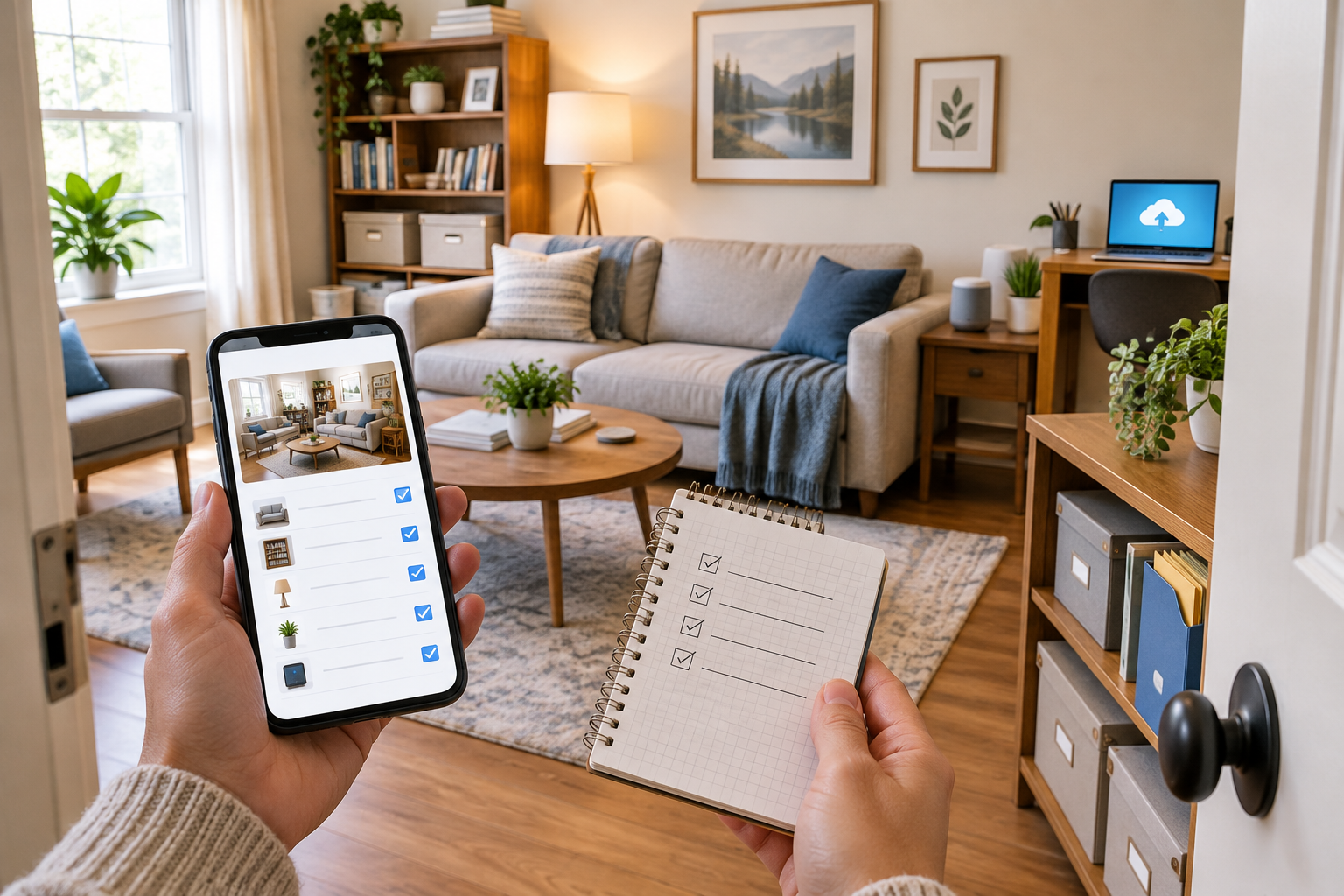
Take a wide photo of each room to capture its general contents. Then take closer images of items that are valuable, distinctive, or hard to describe. A slow video walk-through can show the room and its contents in context; narrating the room or item names may help you match the footage to your list later.
For electronics or equipment, photograph a model or serial-number label if you can do so safely and clearly. For a collection, artwork, or jewelry, take images that show the item and any identifying marks. You can also photograph a receipt or related record, while keeping the original if you need it.
Use simple labels such as “office—desk and monitor” or “kitchen—appliance shelf,” and include a date if useful. Avoid moving heavy or fragile belongings just to get a better angle. Images support your record, but they do not establish that an item is covered or what a claim will pay.
Choose a format you can maintain
Paper, a spreadsheet, and an app can all work; consider how you will update, search, and back up the record.
There is no single format that suits every household. A written list may be easiest to start, while a spreadsheet can make entries easier to sort and edit. An app may offer a convenient way to add images from a phone. The useful choice is one you can keep current and retrieve when needed.
| Format | May suit you if… | Plan for… |
|---|---|---|
| Paper list | You prefer writing by hand or want an offline record. | Keep it secure and away from the home; add updates when belongings change. |
| Spreadsheet | You want flexible fields and the ability to sort or edit entries. | Organize photos and receipts with the list and create a separate backup. |
| Inventory app | You prefer adding details and images on a phone. | Check backup settings, how to retrieve the record, and what happens if you change devices or lose access. |
Keep a secure backup separate from home
Plan for both privacy and access so the record is not available only on a device or in a location that could be affected by the same event.
Keep a copy somewhere separate from your home using a secure method that fits your needs. Do not rely only on a phone, computer, or paper file that could be lost in the same event as your belongings. Triple-I recommends maintaining backups and checking that a digital tool actually saves the information and that you can retrieve it.
Test access before you need the record. Open the inventory from another device or location, check that photos and attachments are present, and confirm that you know how to sign in. If others in your household may need the record, make sure they know where it is and how to access it.
A detailed inventory can reveal what you own and where it is kept, so consider privacy when choosing where and with whom to share it. Protect access to digital accounts and limit sharing to people who need the information.
Check policy questions and keep the inventory current
Treat your record as an ongoing household document, and handle coverage questions separately with your insurer.
Some belongings, including jewelry, art, or collectibles, may be subject to policy limits or need further discussion with an insurer. Do not assume that listing an item changes its coverage. Check your own policy and ask your insurer whether a particular possession needs additional documentation or other steps.
When you buy something you want to document, add it while purchase details are easy to find. Save the receipt or order confirmation if available, take a photo, and note where the item is kept. During a periodic review, mark belongings you no longer own and check that the inventory and backup still open.
To continue, create a basic template with fields for room, item description, identifying details, purchase information, and the location of any photo or receipt. Record one area, save a separate copy, and then make a short list of policy questions to raise with your insurer if needed.
Frequently asked questions
Do I need a receipt for every item in my home inventory?
No. Receipts and purchase records can be useful when available, but missing paperwork should not keep you from starting. Record a clear description and add purchase details or supporting documents where you have them.
Should I use photos or a written list for a home inventory?
Use both if practical: a written list captures names and details, while photos or video add visual context. If you start with one, choose the format you are most likely to maintain and add the other as you expand.
Will a home inventory guarantee that insurance covers my belongings?
No. An inventory documents belongings; it does not determine policy coverage or guarantee a claim outcome. Check your own policy and ask your insurer about particular items or coverage questions.
Where should I keep a home inventory?
Keep a secure copy somewhere separate from home. If it is digital, test that you can retrieve the file and its attachments; also consider who in your household may need access and how to protect the information.
How often should I update my home inventory?
Add items when you buy them if you want their details recorded, while receipts and product information are easy to find. Review the inventory periodically to remove belongings you no longer own and confirm that your backup remains accessible.
Sources & further reading
Explore the original sources behind this article. Our editorial perspective is separate from the organizations we reference.
- [S1] Home Inventorycontent.naic.org
- [S2] How to create a home inventory - Triple-I®iii.org
- [S3] Consumer Homeownerscontent.naic.org
- [S4] What You Need to Know When Filing a Homeowners Claimcontent.naic.org